QR Code Pet Tags: A Smarter Way to Bring a Lost Pet Home
Published on July 3, 2026 · 5 min read
QR Code Pet Tags: A Smarter Way to Bring a Lost Pet Home
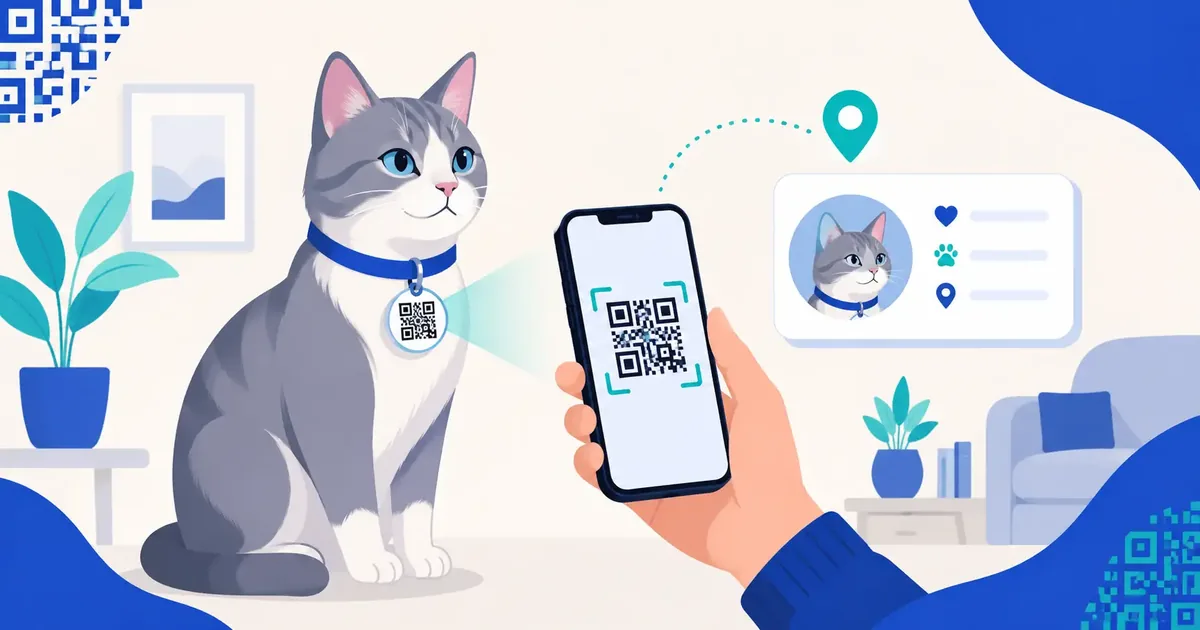
Your cat slips through the back door during a dinner party, and suddenly the only thing standing between a frightening night and a quick reunion is the little disc hanging from her collar. An engraved tag holds maybe four short lines. A QR pet tag holds a full profile you can update from your phone in seconds.
That difference matters more than most owners realize, right up until the moment they need it.
A QR code pet tag is a small, scannable tag you attach to your dog or cat's collar. When someone points a phone camera at it, the code opens a web page you control. That page can show your pet's name, your current phone number, medical notes, and even a photo. No app to download. No special scanner. Just the camera almost everyone already carries in their pocket.
What a QR Pet Tag Actually Does
Think of the tag as a doorway, not a filing cabinet. The physical disc doesn't store your information. It stores a link that points to a page where your information lives. When a kind stranger scans it, they see exactly what you want them to see, and nothing more.
Compare that to a traditional engraved tag. You get a name and a number stamped into metal. If your number changes, the tag is wrong forever. If your pet needs daily medication, there's no room to say so. And if the tag gets scratched over a couple of years, the finder is left squinting at half a phone number in a parking lot.
A QR tag fixes all of that. You update the page, the tag stays the same, and the finder gets clean, readable details every time.
Static vs Dynamic: The Choice That Changes Everything
Here's where people trip up. Not every QR tag works the same way, and the wrong choice can leave you stuck.
A static code bakes the destination straight into the pattern. It's simple and it works offline, but the link can never change. Switch phone numbers or move to a new recovery service, and you have to order a brand new tag.
A dynamic code points to a short link you can redirect whenever you like. Your dog wears the same tag for years while you quietly change the phone number, the vet's details, or the whole recovery page behind it. For a pet tag, dynamic is almost always the smarter pick, because your contact details will change long before your dog stops needing the tag. If you want the full breakdown, our guide on static vs dynamic QR codes walks through it plainly.
Exactly What to Put on the Page (And What to Hide)
More information is not better. You're trying to reunite with a lost pet, not publish a public dossier. Share what a helpful stranger needs, and keep the rest private.
Include these:
- Your pet's name and a recent photo, so a finder knows they've got the right animal.
- A working phone number, ideally two, in case one goes to voicemail.
- Critical medical notes, like "diabetic, needs insulin" or "do not feed."
- A short, calm line such as "I'm friendly, please call my family."
Leave these off:
- Your home address. A stranger scanning your dog's tag does not need to know which house sits empty.
- Your pet's full medical history. One urgent note is plenty.
- Any financial or account details. A pet page has no business holding them.
The American Kennel Club offers solid, practical advice on pet identification that pairs well with this approach, and it's worth a read while you decide what to share (akc.org).
Durability: A Tag Is Useless If It Falls Apart
A pet tag lives a rough life. It gets dunked in water bowls, dragged through mud, and chewed when your dog is bored. A paper sticker printed at home will not survive a week.
Look for a tag made from stainless steel, anodized aluminum, or hard enamel. The QR pattern should be laser-etched or printed under a protective coating, not just inked on top. Test it after a month of normal wear. If the code still scans on the first try, you picked well. If your phone hesitates, the contrast has faded and it's time for a replacement.
Waterproofing isn't a luxury here. It's the whole point of the thing.
How to Set One Up in Four Steps
You can build a working tag in an afternoon. Here's the exact path.
Step 1: Create the recovery page. Write a short page with your pet's name, photo, phone numbers, and one medical note. Keep it clean and easy to read on a phone.
Step 2: Generate the code. Head to the Dog QR Tag or Cat QR Tag tool and create a dynamic code that points to your page. Dynamic means you can edit the details later without reprinting.
Step 3: Print it on a real tag. Order a metal or enamel tag from a pet-tag maker, or print onto waterproof tag stock. Make the code at least an inch wide so it scans quickly.
Step 4: Test with two phones. Scan it with an iPhone and an Android. If both open your page instantly, attach it to the collar. If either one struggles, increase the size or contrast and try again.
That two-phone test is the step everyone skips and later regrets. Don't skip it.
When a Tag Works Best Alongside a Poster
A collar tag only helps if your pet is still wearing the collar. Collars slip off, especially on cats. That's why a tag works best as one layer of a bigger safety net. If your pet does go missing, a well-made lost-pet poster with a QR code extends your reach across the neighborhood, and a microchip covers the case where the collar is gone entirely. The American Veterinary Medical Association has clear guidance on why microchipping belongs in that mix (avma.org).
Layers beat luck. A tag, a chip, and a plan together bring pets home far more often than any single tool on its own.
Frequently Asked Questions
Do QR pet tags need a subscription? Some services charge a small yearly fee for the hosted page, but you don't have to use one. If you host the page yourself and generate the code for free, the only ongoing cost is the page itself.
What if the person who finds my pet has no internet? Add a plain phone number to the tag's design as well, printed next to the code. That way a finder can call you even if they can't scan.
Can someone track me through the tag? No. The tag shows only what you choose to put on the page. It doesn't share your location or reveal your identity beyond the details you add yourself.
How long do these tags last? A quality metal or enamel tag with a protected code lasts for years. Check it every few months, and replace it the moment the code gets slow to scan.
Give Your Pet a Tag That Can Keep Up
An engraved tag freezes one moment in metal. A QR tag grows with your pet's life, your new phone number, and the note you wish you'd added last year. Build one this weekend, test it on two phones, and clip it to the collar. It's a small effort that pays off on the worst possible day. You can start for free with the Dog QR Tag or Cat QR Tag generator right now.
Published by the QRinsec Editorial Team — practical documentation about QR codes, barcode standards, and QRinsec’s client-side tools. Content is reviewed against product testing and published technical documentation from sources such as GS1, Denso Wave, and ISO standards where applicable.
Have questions or corrections? Contact us.
Create your QR code for free
No sign up, no limits — generate and download in seconds.
Open the generator